
Check-out process
How can I purchase through WhatsMall?
Step 1: Sign in your buyer account
Step 2: Item Selection
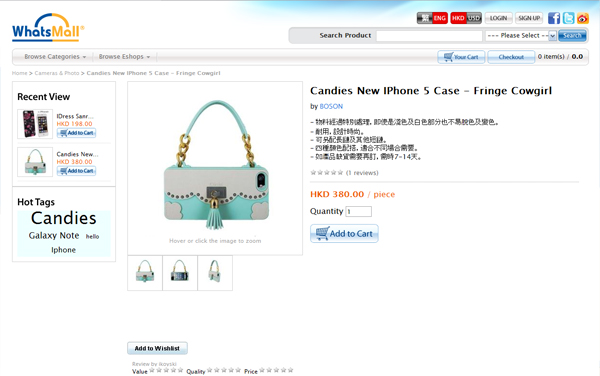
Chose the item by clicking on it and input the quantity desired.
Step 3: Add into shopping cart
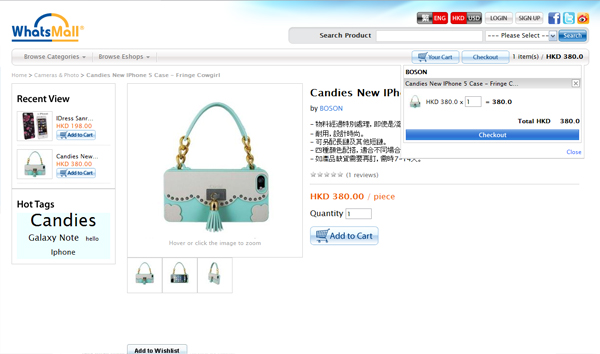
Put the item and the quantity into the shopping cart (pressing "Add in Cart"). Press your cart to show the selected items. You may continue shopping or check out.
Step 4: Set the buyer information
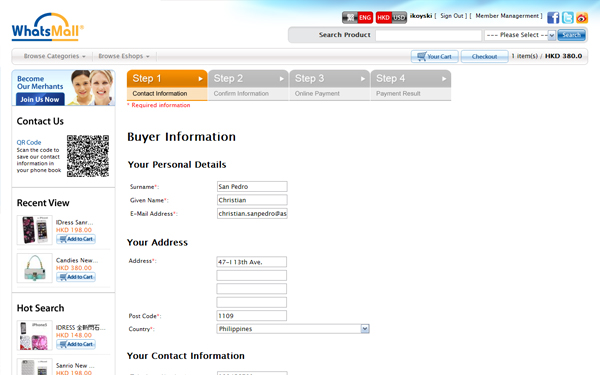
The default delivery information will be the registered information. If you would like to ship to another delivery address, input the address as shown below.
Step 5: Agree the policies provided by the supplier
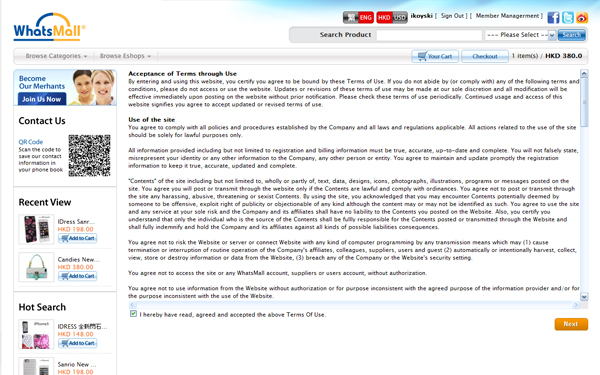
By clicking on the click box and press 'Next', the policies are agreed. Please kindly review the policy before payment.
Step 6: Confirm order information
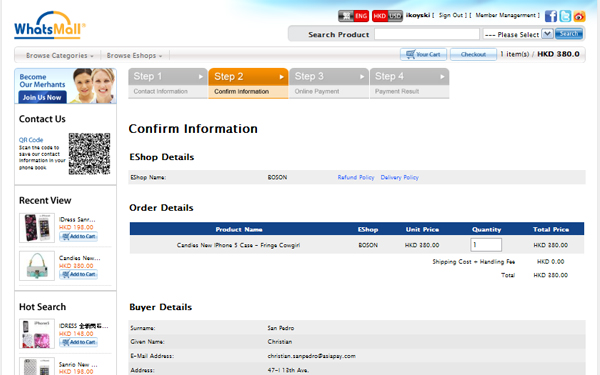
Step 7: Payment
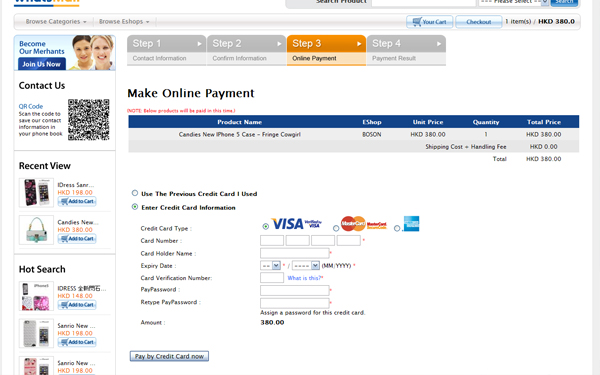
**If your card-issuing bank supports 3D secure payment authentication, you will be redirected to VISA/ Master/other Card Association page. Please fill in the information accordingly. Your payment may be failed if you have not yet registered for such service with your card-issuing bank.
Step 8: Payment Result Notification
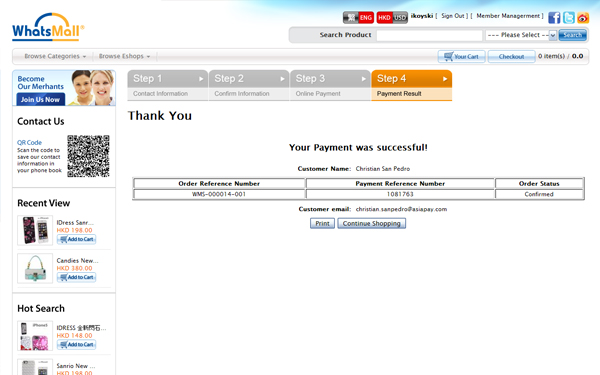
Confirmation email will be send to your registered email address. You may also find the purchase record online after sign in your buyer account (please refer to 'How can I view my purchase history').